

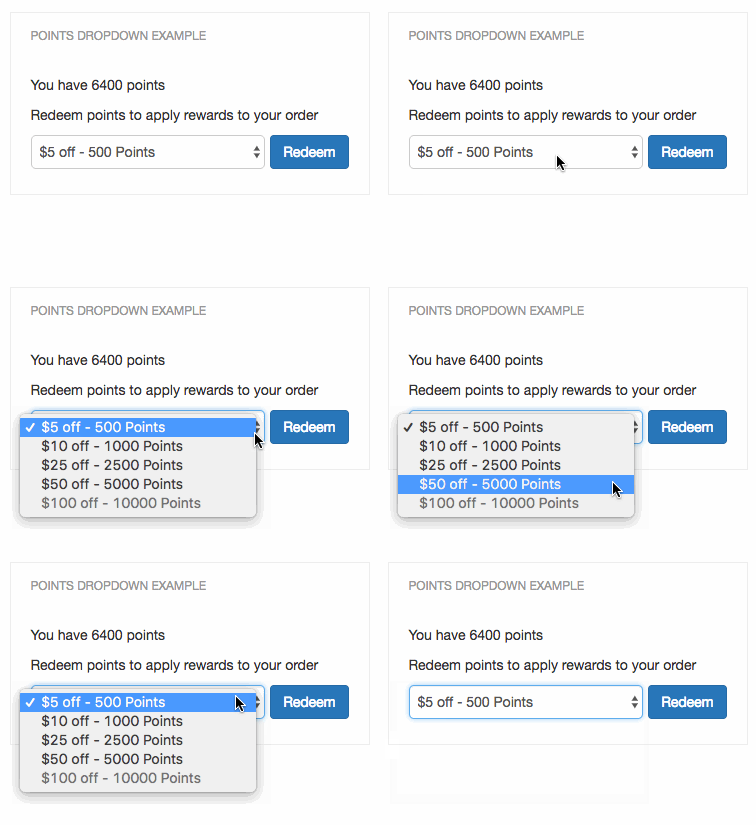
Step 1: Include our sample code in your checkout page
From the BigCommerce theme editor, copy the contents of our smile-points-products-dropdown.html code sample into a new theme file. You will need to make sure that this file gets added to your checkout page.This code snippet requires jQuery. If you do not already use jQuery on your site and wish to use the snippet as is, you will need to uncomment the jQuery script at the top of the snippet.
Step 2: Add your public API key to the script
Once you’ve located your public API key, paste it into thedata-channel-key attribute on the script tag at the top of the code snippet (excerpt below).
HTML
Step 3: Filter out unwanted points products
Sometimes there are rewards in your program that don’t apply to the cart, such as email rewards or free products. You can hide points products from being shown in the dropdown by adding specific points product IDs to thehidePointsProductIds variable.
To find the ID of a points product you want to hide, visit Smile Admin and navigate to your points program’s rewards. Select the reward you wish to hide — the points product ID is the last part of the URL in the address bar. Add that ID to the hidePointsProductIds variable to hide it from the dropdown.
Step 4: Add the points dropdown to your checkout page
Add the following div to your checkout page where you would like the dropdown to appear.HTML
Step 5: Apply the discount code to the cart
In order for this component to function, you will need to write the code that takes the generated discount code and applies it to the cart. TheapplyPointsPurchaseToCart function is triggered when the customer clicks the “Redeem” button. Within this method, you’ll have access to the discount code which will need to be applied to the cart. The code is available via pointsPurchase.reward_fulfillment.code.
The process of applying the discount code to your customer’s cart can be done via your cart’s API, or by a form field input simulated with JavaScript.